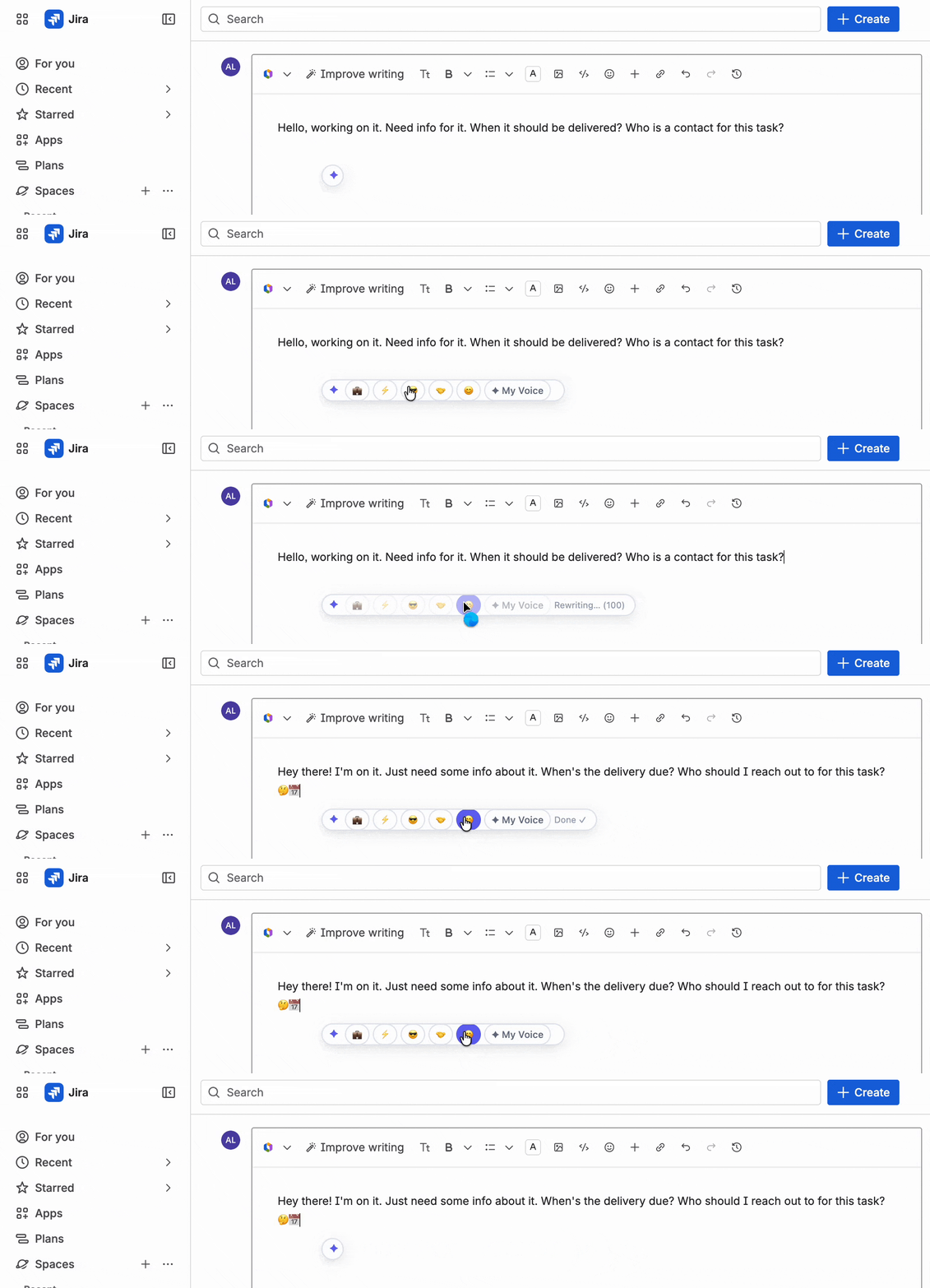
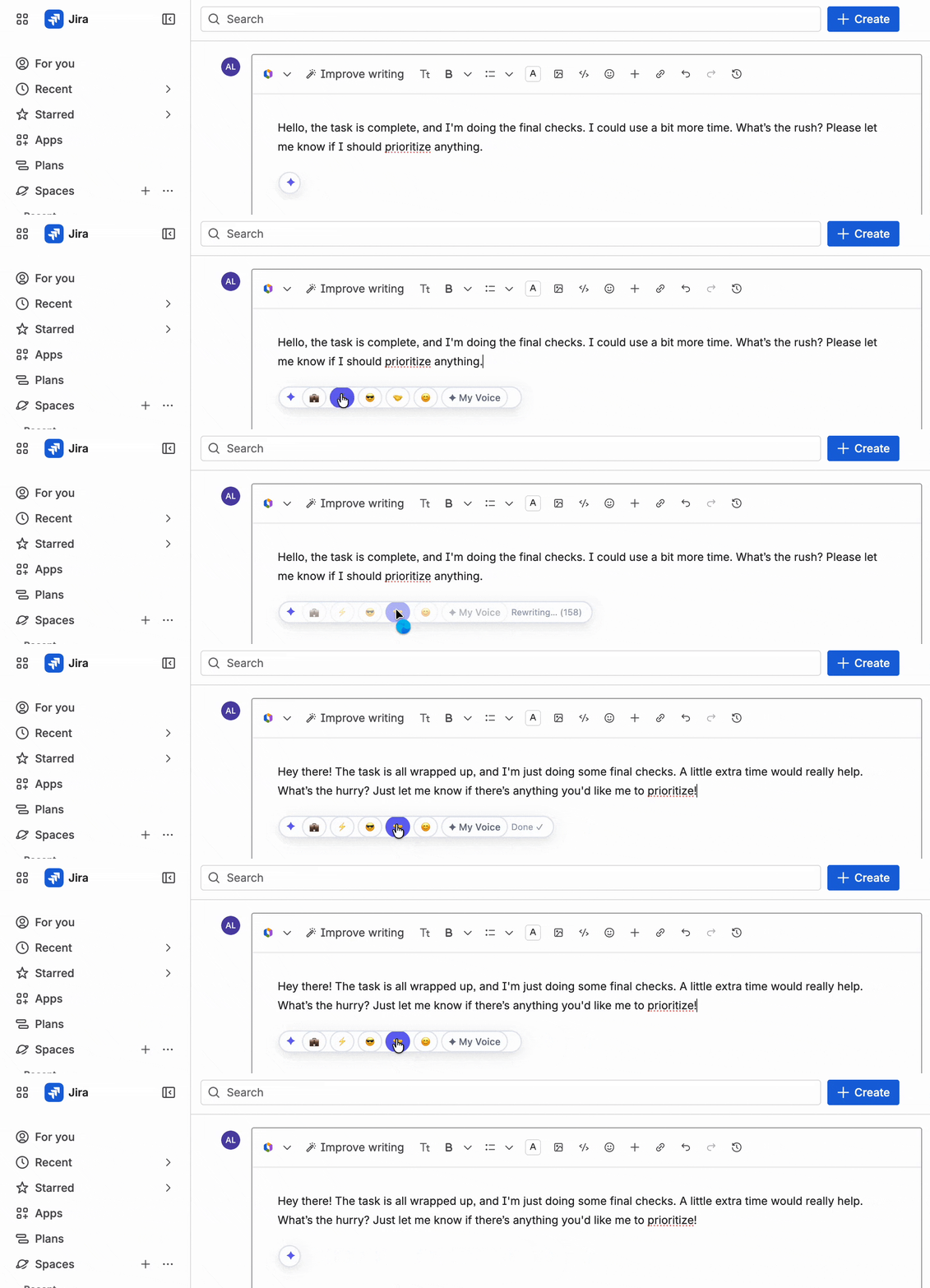
Jira comments shape how engineers, PMs, and stakeholders perceive you every day. Tonero adds a one-click tone toolbar to every Jira comment box — rewrite in the right tone before you post, right where you're typing.
🤝 Friendly tone — warm and collaborative
😊 Emoji Pro tone — expressive and approachable
Jira is where technical decisions get documented, blockers get raised, and accountability gets established. Your comment tone in tickets shapes how your team reads your intent — and how senior stakeholders judge your professionalism.
Technical context doesn't excuse poor tone. Jira is read by engineers, PMs, designers, and executives — often without any prior conversation context.
Blunt bug comments ("this is broken, fix it") create friction with the engineering team. Tonero helps you report issues clearly and constructively.
Ticket comments are the project record. Professional, clear updates signal competence and keep stakeholders aligned without extra meetings.
Blocking a ticket or requesting revisions can create tension. The right tone keeps the collaboration moving rather than creating defensiveness.
Comments visible to other departments or external stakeholders need a higher bar. Tonero matches the register to the audience automatically.
Retro comments read by the whole team set the tone for psychological safety. Tonero keeps feedback constructive rather than blaming.
Teams with a defined communication voice can use Tonero to apply it consistently across every Jira comment — no manual enforcement needed.
Real Jira scenarios. One click to a more effective comment.
"this is still broken. what happened? i thought this was fixed last sprint"
"This issue appears to still be present after the last sprint. Could you take a look and confirm whether the fix was applied? Happy to provide more detail if helpful."
"blocking this. needs to be redone before we can move forward"
"Blocking — this needs to be revised before we can proceed. Flagging the specific points that need to change in a follow-up comment."
"can someone look at this?? its been in backlog for 3 weeks"
"Hey team — this one has been sitting in the backlog for a few weeks. Could someone take a look and give it a priority assessment? Happy to provide more context if needed!"
"done. tested. closing."
"Implementation complete. Tested against the acceptance criteria — all passing. Closing this ticket. Let me know if anything needs a follow-up."
Tonero works in Jira comment boxes, description fields, and any text input — in Jira Cloud in Chrome, Edge, or Opera. Install once, use everywhere.
Open Jira Cloud in Chrome, Edge, or Opera. Tonero's tone toolbar appears automatically in every comment and description field.
Write the fast, rough version. Blunt, brief, unpolished — say what needs to be said. Tonero handles the polish.
Professional, Direct, Friendly, or Emoji Pro. Your comment is rewritten in the text box. Review and post.
Jira comments are permanent. They're read by people at different seniority levels, across teams, and often without the conversational context you had when you wrote them. Getting the tone right matters — and it's easy to get wrong under pressure.
See how Tonero rewrites real messages. Try the live demo → — no install needed, takes 10 seconds.
Tonero appears in every editable text box in Jira Cloud — comments, descriptions, acceptance criteria, and custom fields.
Teams using Tonero Pro can set a custom voice profile so every Jira comment reflects the company's communication standard — not just the writer's mood that day.
No copying comment text into another tool. The rewrite happens inline — you stay in Jira, the comment gets fixed, you post.
Install once and Tonero works across every platform you communicate on — one subscription, every text box.
Use Direct for internal technical comments, Professional for stakeholder-visible updates, Friendly for cross-team collaboration, Emoji Pro for casual team culture.
⌥⇧1 for Professional, ⌥⇧2 for Direct — rewrite Jira comments without reaching for the mouse.
Rewrite Slack messages to sound professional, direct, or friendly — right inside Slack.
Sound more professional in Teams chats, channels, and meeting follow-ups.
Tone-check your emails right inside Gmail's compose window before you send.
30 free rewrites per month. Works in Jira, Slack, Gmail, Teams, LinkedIn, and any website. No credit card required.
Get Tonero it is free