Slack feels casual, but your words still carry weight. Tonero adds a one-click tone toolbar to every Slack message box — rewrite before you send, right where you're typing.
Tonero in Slack — one click to the right tone
Slack messages feel low-stakes in the moment. But your tone in DMs and channels shapes how colleagues, managers, and stakeholders perceive you — day after day. Tonero helps you sound deliberate rather than reactive.
Slack's informality makes it easy to sound unintentionally blunt, passive-aggressive, or careless. Tonero catches it before you send.
Casual phrasing to a manager can read as disrespectful. Tonero brings DMs to the right formality level without making them feel stiff.
Public channel messages are visible to the whole team. Tonero ensures your project updates and announcements read as clear and professional.
Technical feedback can land badly when the tone is blunt. Tonero softens the delivery while keeping the substance sharp.
Expressing urgency assertively without sounding stressed or aggressive is hard. Tonero finds that note every time.
When the conversation is tense, reactive messages make things worse. Tonero rewrites your response to stay professional and constructive.
Tone cues that work inside your team can read differently to other departments. Tonero calibrates for the right register.
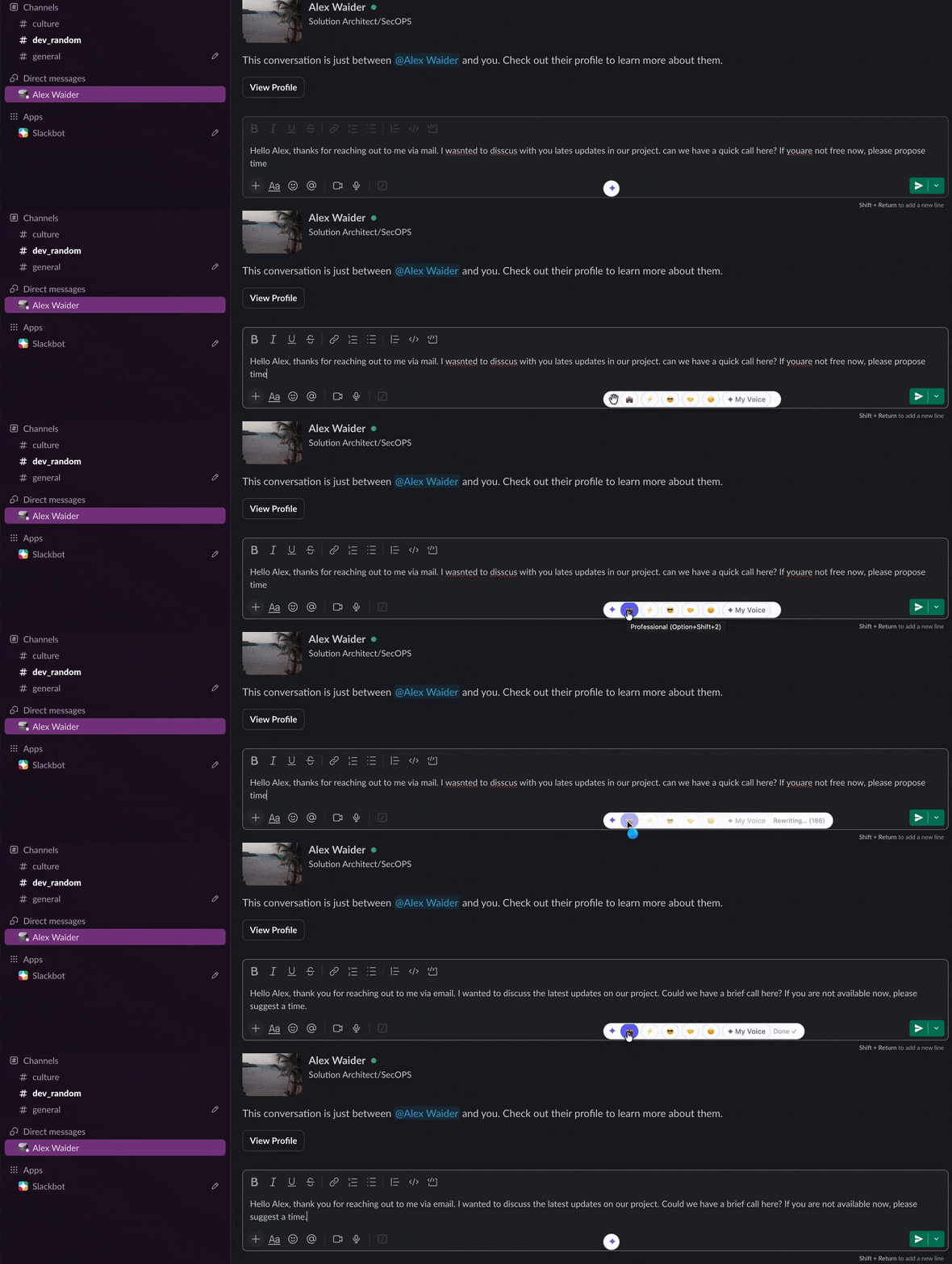
Real Slack scenarios. One click to a better message.
"why wasn't this done yesterday? we talked about this"
"This was scheduled for yesterday — can you give me a quick update on where things stand and the timeline from here?"
"heads up there might be a blocker on this but idk yet"
"Flagging a potential blocker on this. I'll have more detail within the hour."
"i guess if thats what everyone wants then sure whatever"
"I have some reservations about this approach — happy to share my thinking if that's useful before we commit."
"great work on this!! super impressed honestly 🙌🙌"
"Really impressed with how this turned out — great work. This kind of output sets the bar for the team."
Tonero works in Slack DMs, channels, and threads — in the browser version of Slack. Install once, use everywhere.
Open Slack in Chrome, Edge, or Opera. Tonero's toolbar appears automatically in every message box.
Write your message however it comes out. Speed over polish — that's Tonero's job.
Hit the tone that fits: Professional, Direct, Friendly, Confident. Your message is rewritten in the message box. Review and send.
Slack's informal interface makes every message feel low-stakes. But professional reputation is built message by message — and Slack is where most of those messages happen.
Want to see how Tonero rewrites messages? Try the live demo → — see a real rewrite in seconds, no install needed.
Tonero appears in every text input in Slack — channels, DMs, threads, and huddle chats.
No copying your message out to another tool. Rewrite happens right in the Slack message box, in seconds.
Tonero works in every web-based text field — install once, use everywhere you communicate.
Hit ⌥⇧1 for Professional, ⌥⇧2 for Direct — rewrite Slack messages without touching the mouse.
Tone-check your emails right inside Gmail's compose window before you send.
Sound more professional in Teams chats, channels, and meeting follow-ups.
Make Jira comments polite, professional, and efficient — right inside every ticket.
When and how to use a professional tone — with real before/after examples.
30 free rewrites per month. Works in Slack, Gmail, Teams, LinkedIn, and any website. No credit card required.
Get Tonero it is free